xiats
xiatsHome › Help center › Video to text
Video to text: Extract spoken content
In the web Transcription workspace, select Paste links. Supported platforms are detected automatically. Enter one share link per line, including mixed platforms, choose recognition, then edit and copy results on the right.
This guide covers Transcription in Paste links mode. Like uploads, submissions require active membership, checked by the server.
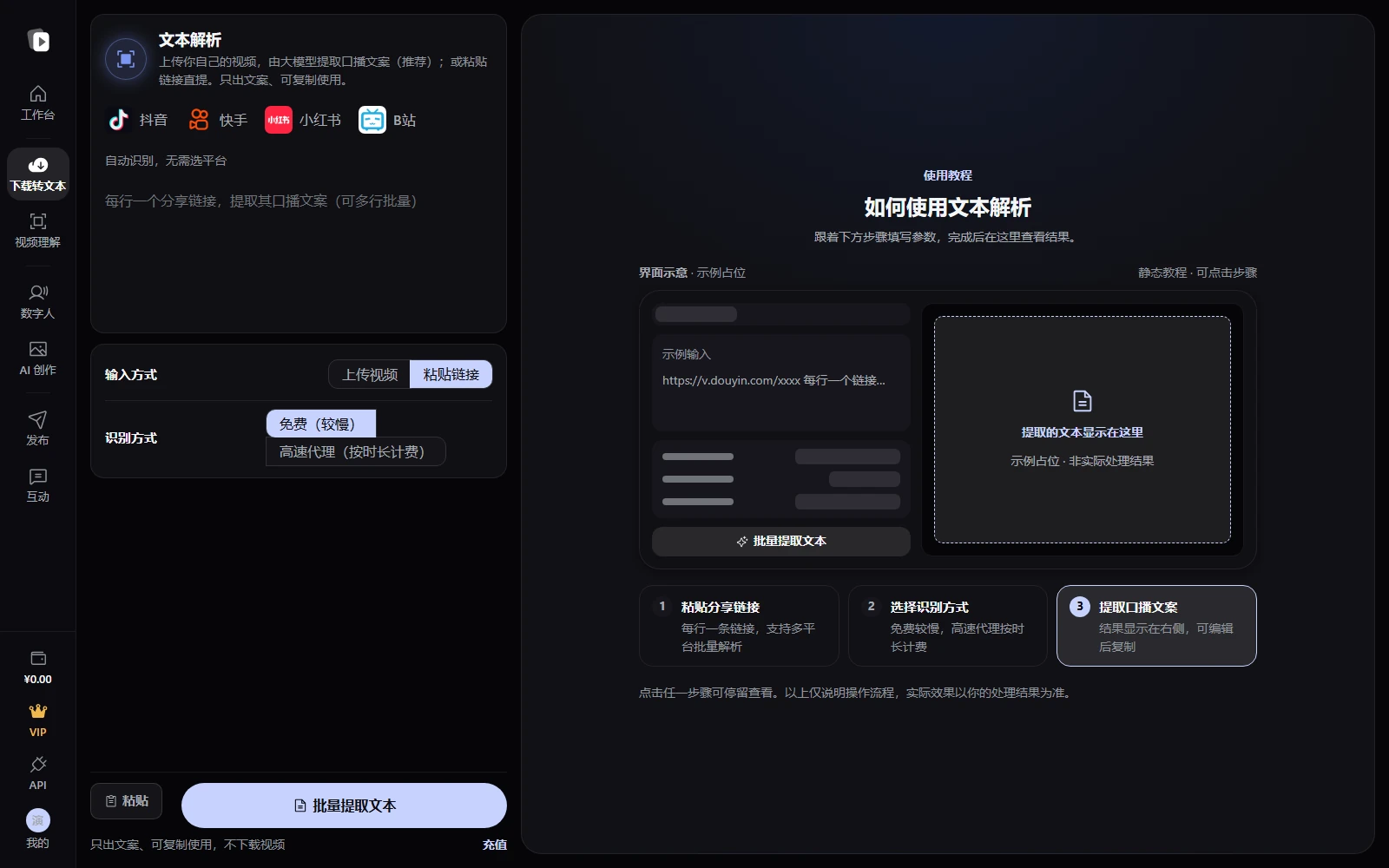
Steps
- Switch to Paste linksOpen Transcription and set Input method to Paste links. Logos identify supported platforms. Detection is automatic; no manual platform selection is needed.
- Paste share linksOne link per line, up to 20 at once. Mix supported platforms such as Xiaohongshu, Douyin, Bilibili, and Kuaishou. Check the detected count below the input. Invalid or unsupported links show errors.
- Choose recognition and extractChoose Free (slower) or Fast platform recognition (billed by duration), then click Batch extract text. Confirm the fee for fast recognition, then track each item after submission.
- Edit and copy textEach video's transcript appears in the right result panel. Review and edit, copy individual items, or use Copy all to save to your own document.
Frequently asked questions
Which platforms are supported?
Use supported platforms listed on the page, such as Xiaohongshu, Douyin, Bilibili, and Kuaishou. Detection is automatic. Refer to the current page for coverage and errors.
Can I process a batch?
Yes. Enter one link per line, up to 20, with supported platforms mixed if needed. Check per-item status and results on the right. Invalid or unsupported links receive individual errors.
Is membership required? Does fast recognition cost extra?
Uploads and links both require active membership. Free recognition has no recognition fee for that tier. Fast recognition is billed by duration, with price confirmation first. Refer to the page and bill.
What can I do with the transcript?
After checking accuracy, use it for notes, subtitles, scripts, or Talking avatars. Ensure you have permission to use or adapt the underlying material.